Woozworld Update 16.10.10
Hey Woozens!
A brand-new app update is here, packed with powerful creative tools for UnitZ builders, a huge quality-of-life feature for color lovers, and plenty of bug fixes to keep your game running smoothly!
New User Flag Effect Pods: On-Screen Messages & Spotlights
UnitZ games and interactive stories just got a massive upgrade! We are introducing two brand-new types of Effect Pods that trigger automatically when a Woozen receives a specific User Flag.
1. On-Screen Message Pods (HUD Banners & Popups)
Ever wanted to display game instructions, rules, or role assignments without cluttering your UnitZ chat? Now you can show custom text directly on players' screens when they have a flag:
- Top-Left & Top-Right HUD Banner Effect Pods: Display clean, persistent custom text right on screen -- choose the left or right corner to suit your layout! Perfect for quest objectives, active tasks, hints, or room rules.
- HUD Portrait Effect Pod: Pairs your custom message with a portrait of the Woozen's own avatar in the top-right corner. Seeing your own face next to the title makes it the ultimate way to display assigned roles, ranks, job titles, or team identities!
- Screen Popup Effect Pod: Need everyone to stop and read? This triggers a large, bold popup box right in the center of the screen, perfect for room intros, comprehensive game instructions, or major announcements!

(All on-screen messages can be dismissed at any time by tapping the red "X" button.)

2. Dynamic Light Effect Pod
Give your VIPs, team captains, or dungeon crawlers the spotlight they deserve! The Dynamic Light Effect Pod casts a customizable light source that actively tracks and follows any Woozen who holds the designated flag.
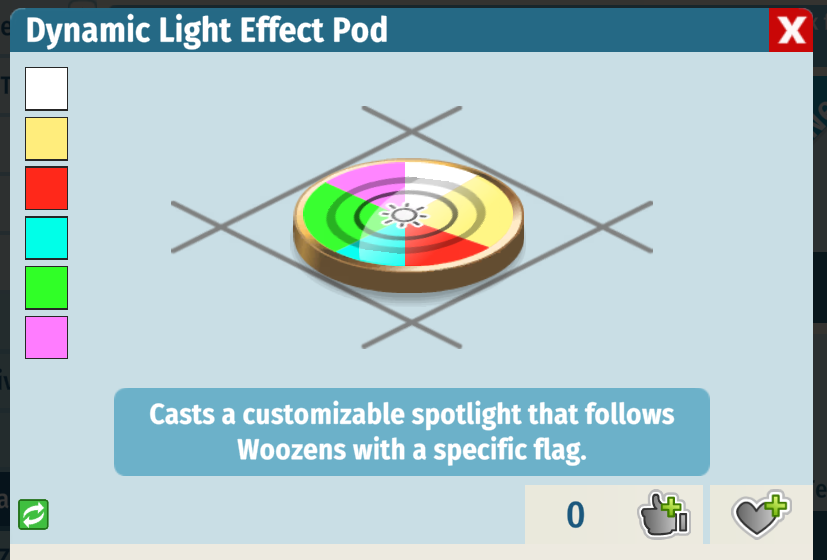
You can fully customize:
- Color Slot: Pick the exact hue for the light.
- Intensity & Radius: Create anything from a soft, subtle aura to a broad, bright beam.
- Falloff: Dial in the soft edge or hard glow around the avatar.

It is not just for games, either -- it makes an incredible addition to your fashion runways! Give models their own moving runway spotlight as they strut down the catwalk, making every outfit truly shine center-stage.

Brand-New Feature: The Eyedropper Tool!
Color matching in Woozworld has never been easier! Whenever you open the color picker to customize clothes, furniture, or hair, you will now see a new Eyedropper icon next to the hex code box.
- Tap the Eyedropper tool to activate it.
- Follow the on-screen prompt: press and hold ("Press to start"), then drag across your screen until you find the exact color you want!
- Release to confirm your choice -- whether you are clicking and dragging with a mouse on web or using your finger on mobile!
- It samples anything in your view: furniture, clothing, floor tiles, and even UI elements.
No more guessing hex codes or manually searching for that exact shade of pastel or neon!

Quality of Life & Bug Fixes
We have also rolled out several handy tweaks and fixes:
- Light Pods Live Preview: The color preview now updates live in real time as you adjust your light colors.
- Smart Gizmo Hiding: The positioning gizmo now automatically hides while you recolor your light pod, giving you an unobstructed view of your changes.
- Mannequin Display Fix: Fixed an issue where, in rare cases, an incorrect garment could appear displayed on a mannequin.
- Inventory Icons Fixed: Resolved an issue where Consumable and Resource icons could occasionally swap or mix up in your Inventory.
- Various other minor bug fixes, performance improvements, and system polish.
Update your app today and start experimenting with the new Effect Pods and the Eyedropper! What will you build first?