Step Into the Spotlight: Dynamic Lighting Has Arrived in Woozworld!
Step Into the Spotlight: Dynamic Lighting Has Arrived in Woozworld!
Get ready to see your rooms in a whole new light. The Dynamic Lighting System is officially live across both Desktop and Mobile! Whether you want to cast a moody neon glow across a cozy café, wire up a live concert stage, or construct challenging escape rooms where darkness is a physical obstacle, dynamic lighting gives you total atmospheric control.
Best of all, this feature is available to every single Woozen - no VIP or subscription required. You can grab all the lights directly in [Shopz in this section] using Wooz, with a limit of 30 dynamic lights per Unitz.
Here is your complete guide to bringing your Unitz out of the shadows.
1. Getting Started: How to Enable Dynamic Lighting
Dynamic lighting is opt-in room by room, so none of your existing spaces will change until you decide to upgrade them:
- Open your Unitz Settings menu.
- Check the "Enable Lighting" box at the bottom and click Save.
- A confirmation popup will let you know that lighting mode is active.

The Unitz will plunge into pitch blackness. This is your blank canvas, ready for you to place and customize your own light sources.

Need to see while building? Look at the top of your screen in Edit Mode for the new Sun Icon toggle. Clicking this temporarily deactivates dynamic darkness only for your view, letting you clearly see your furniture layout while decorating. You can also turn "Enable Lighting" off in Unitz Settings at any time to return your room to default visibility.

2. The Lighting Arsenal: Types of Lights
To help everyone get started quickly, lighting options range from plug-and-play decorative lamps to fully configurable stagecraft pods.
A. Pre-Set Decorative Furniture (Easiest to Use)
The fastest and simplest way to brighten up a room is with ready-to-use decorative fixtures:
- Plug-and-Play Classics: We have upgraded familiar, fan-favorite furniture items - such as the VIP Influencer Ring Light - with pre-calibrated light sources.
- Ready Right Away: Radius, angle, and intensity are pre-tuned by the Woozworld team, while still letting you personalize the light's color.
- Interactive for Everyone: Any visitor in your Unitz can click directly on the furniture piece during gameplay to switch it on or off.
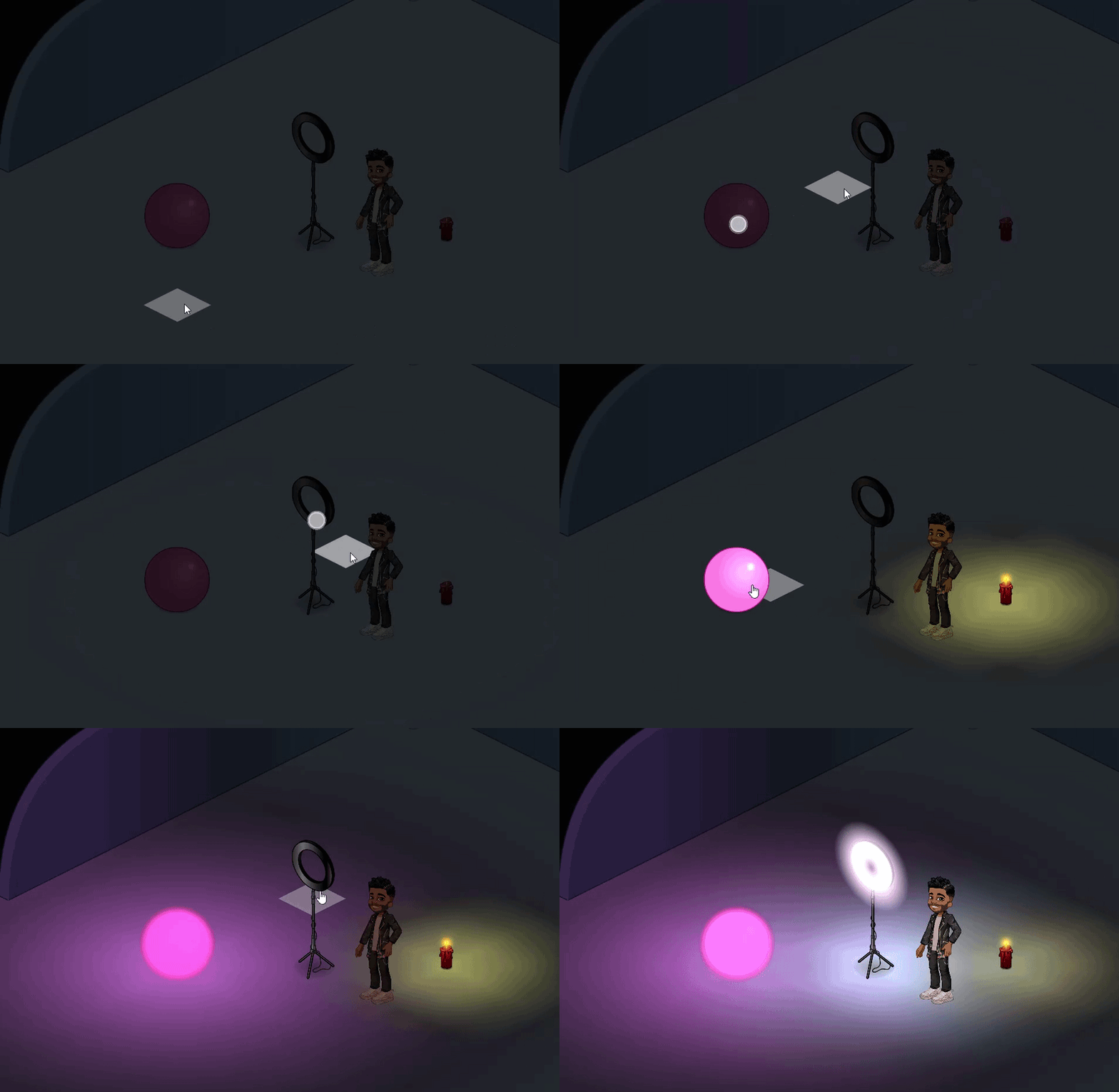
Important Note on Existing Items: To use dynamic lighting on these repurposed pieces, you will need to purchase new copies from Shopz. Any existing copies you already own in your inventory or Unitz will keep their legacy behavior and will not cast dynamic light.

B. Invisible Light Pods (Custom Edit Tools)
For total creative control, Light Pods let you craft custom environments from scratch. They appear as multicolored cubes in Edit Mode so you can position and configure them, but they disappear completely during live play and to room visitors.
To configure a pod, select it in Edit Mode and click the "Edit Lights" (sun icon) button on the furniture toolbar.

Ambient Light Pod: Casts uniform, global illumination over the entire Unitz regardless of where it is placed.

- Intensity: Ranges from 0 (pitch black) to 200 (intensely bright), with 100 matching default Woozworld brightness.
- Color Slots: Set up to 6 custom color presets using the color picker, swatches, or hex codes.

Point Light Pod: Emits a radial pool of light spreading outward from its center.

- Radius & Falloff: Control how far the light reaches and how smoothly or sharply it fades toward the edge.
- Gizmo: Toggle the on-screen wireframe outline to visualize the exact reach of the light beam.

Spot Light Pod: Projects a focused, directional beam.

- Angle, Rotation & Tilt: Adjust the beam width, sweep 360 degrees horizontally, and tilt up or down across elevated terrain and isometric heights.
- 3D Gizmo: Displays a full 3D wireframe cone so you can aim directly at specific focal points.

C. Interactive Follow-Spot Pod (Manual Control Spotlight)

Need to run a live show or guide an event? The Follow-Spot Pod gives you a hands-on control console:
- Live Aim Console: Open its controls to access directional D-pad arrows and a live Unitz preview camera.
- Smooth Navigation: Adjust Pan Speed and Zoom Speed to manually sweep the light across the room during live shows, runway walks, or games.
- Wired Compatibility: Like standard pods, manual spotlights can also be automated through the Wired system.

3. The Rules of the Dark: Shadows as Gameplay
Darkness in Woozworld is an active physical boundary, not just a visual filter:
- Darkness Blocks Movement: If a tile is too dark, Woozens cannot walk onto or across it, indicated by a red "X" cursor.
- The Freeze Effect: If a player is standing in a lit tile and the light goes out, they become frozen in place until a light turns back on.
- The Walkable Threshold (White vs. Colored Light):
- For pure white light, the minimum walkable threshold is Intensity 7. At Intensity 6 and below, the floor is too dark to cross.
- Colored lights are darker by design. Deep blues, purples, reds, and other hues inherently produce less visible light than pure white, meaning you will need to set their intensity higher to make a floor walkable.
- Host Privileges: Room owners and co-hosts can navigate pitch-black areas and teleport other players across the dark while in Edit Mode.
- BestiZ Night Vision: While you cannot manually direct your BestiZ into the dark, they will independently wander through dark zones to eat, drink, or explore without getting stuck.

4. Full Wired Integration
Dynamic lights connect directly into Woozworld's Wired logic:
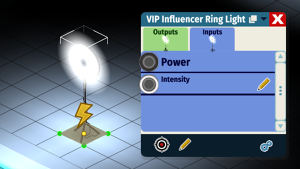
- Decorative Fixtures: Preset furniture items feature wire inputs for Power and Intensity, allowing simple integration with switches, timers, or dance floors.
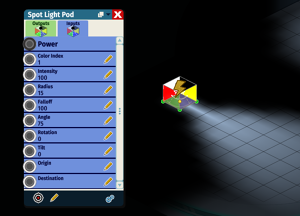
- Full Pod Automation: Invisible pods feature inputs for Power, Color Index, Intensity, Radius, Falloff, Angle, Rotation, and Tilt.
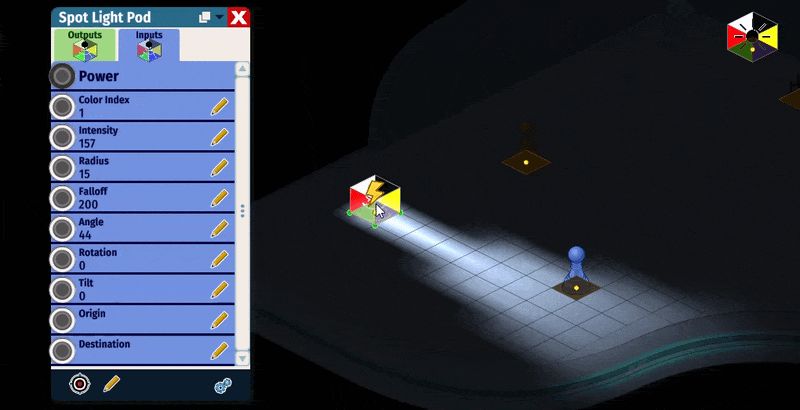
- Dynamic Origin & Destination: Spot Light Pods include Origin and Destination wire inputs. Feeding external coordinates (such as coordinates from a PawnPod) allows the beam to dynamically adjust its anchor or aim point on the fly.


5. Walkthrough: Sample Lighting Builds
Beginner Setup: The Cozy Evening Café
- Start by placing an Ambient Light Pod in your Unitz. It will ask you to activate the Dynamic Light, say yes.
- Set the color to a soft twilight blue with Intensity around 18-20. Because blue is darker by design than white light, this extra intensity ensures the entire floor stays safely above the walkable threshold while bathing the room in evening ambiance.
- Place Point Light Pods over seating areas and service counters. Set them to a warm amber tint, adjust Radius and set Falloff for soft, localized table illumination.

Quick & Interactive Setup: The Content Creator Photo Studio
- Place an Ambient Light Pod and set it to a cool dark purple with Intensity at 15–18. This compensates for the darker purple hue so all tiles remain walkable while creating a dramatic, dimly lit backdrop.
- Place preset furniture like the VIP Influencer Ring Light right in front of your backdrop or sofa staging area.
- Pick your custom light color on the ring light. Now, whenever visitors drop by for a photoshoot, anyone can click the ring light directly to pop on the studio lights for the picture and switch them off when done!

Advanced Setup: The Co-op Searchlight Dungeon
- Leave the Unitz in total darkness with an Ambient Light Pod set to Intensity 0.
- Place a Follow-Spot Pod overlooking a maze of dark corridors.
- Station Player 1 at the Follow-Spot console. Because floor tiles below the brightness threshold are impassable, Player 2 can only step onto tiles illuminated by the spotlight.
- Player 1 uses the D-pad arrows to manually light safe stepping zones ahead of Player 2, guiding them across the dark room toward a goal switch!
6. More Creative Ideas to Try
- Security Patrol Puzzles: Wire a Spot Light Pod to Delayers and Sequencers so that it pans back and forth automatically. Players must time their movements to step onto tiles only when illuminated by the moving beam.
- Interactive Floor Pathways: Connect floor pressure pads to hidden Point Light Pods. Stepping on a switch lights up the next segment of an otherwise impassable dark labyrinth.
- Club Strobe Sequences: Wire multiple Point Light Pods set to contrasting color slots across a dance floor, using Wired clocks to cycle colors and power for synchronized light shows.
7. Accessibility: Lighting Refresh Rate
For players sensitive to rapid light flashes or quick brightness transitions, you can adjust rendering behavior in your personal settings:
- Open Settings > Graphics & Performance.
- Locate Lighting Refresh Rate.
- Choosing a lower refresh rate dampens flickering and smooths out rapid light transitions, while Real-time provides the fastest, most fluid visual response.

This rollout is the first step for Dynamic Lighting. We will be closely monitoring how everyone uses these new tools, and you can expect refinements, adjustments, and expansions in future updates. Head over to Shopz, test out your lighting ideas, and show us what you can build!